
The Best Quiet Gaming Keyboards in 2026

Choose a quiet gaming keyboard during your all-night gaming sesh.
As you’re building out your gaming setup, aside from monitors and headphones, one of the most important things to consider is what kind of keyboard to get. Whether you’re in a dorm and trying to be courteous of your roommates with quieter options to help reduce noise or you just can’t stand the constant “click click click” noise, finding a quiet gaming keyboard can be a bit of a challenge.
And is there even such a thing as a quiet gaming keyboard? We’re here to give the rundown on everything you’d want to know about quiet mechanical keyboards, down from switches to O-rings.
Below are the most quiet gaming keyboards on the market. You’ll find your perfect fit with both wired and wireless options, plenty of customization, and silent switches.
Overall Best Quiet Gaming Keyboard

Manufacturer: Corsair | Weight: 3.22 lbs | Connectivity: Wired | Switch: Mechanical | Price: $149.99
The Corsair Strafe RGB MK.2 stands out as the best overall quiet gaming keyboard in 2026 thanks to its use of Cherry MX Silent switches. These significantly reduce keystroke noise without sacrificing responsiveness.
Built with a sturdy aluminium frame and per-key RGB lighting, it strikes a strong balance between premium design, comfort, and near-silent performance. If you're a gamer who wants sharp mechanical precision with little to no distraction, this keyboard remains one of the most reliable quiet options available for all your immersive gaming needs.
Pros | Cons | |
|
|
Best Mid-Range Quiet Gaming Keyboards
Corsair K70 Core RGB

Manufacturer: Corsair | Weight: 2.1 lbs | Connectivity: Non-removable USB 3 Type-A | Switch: MLX Red Linear | Price: $99.99
Corsair is known for its high-quality gaming peripherals, and this quiet gaming keyboard is no different.
The Corsair K70 Core is a solid mid-range choice for quiet gaming, featuring pre-lubed linear switches and internal sound-dampening that soften keystrokes. It offers smooth performance, modern RGB lighting, and a refined typing feel at a more accessible price point than flagship models.
Pros | Cons |
|
|

Manufacturer: SteelSeries | Weight: 2.15 lbs | Connectivity: Wired | Switch: OmniPoint 3.0 Adjustable HyperMagnetic | Price: $202.99 (RRP $259.99)
The SteelSeries Apex Pro Gen 3 delivers a quieter experience than most high-performance mechanical keyboards thanks to Hall effect switches and added internal acoustic dampening. Its adjustable actuation allows users to fine-tune both speed and feel, making it ideal for competitive gamers who still want reduced typing noise.
Pros | Cons |
|
|

Manufacturer: Logitech | Weight: 1.8 lbs | Connectivity: USB C | Switch: Low-Profile Magnetic Analog (Hall Effect) | Price: $169.99
The Logitech G515 Rapid TKL combines a low-profile design with smooth analog switches that produce a soft, muted sound compared to traditional mechanical keyboards. Compact and fast, it’s a great option for gamers who want quiet performance in a smaller, desk-friendly form factor.
Pros | Cons |
|
|
Best Budget Gaming Keyboards

Manufacturer: Corsair | Weight: 2.1 lbs | Connectivity: Wired USB | Switch: Rubber Dome (Membrane)| Price: $69.99
The Corsair K55 RGB PRO XT is one of the quietest budget gaming keyboards available, using rubber dome switches that keep noise to a minimum. While it lacks the feel of mechanical switches, it delivers reliable performance, RGB lighting, and water resistance at an affordable price.
Pros | Cons |
|
|
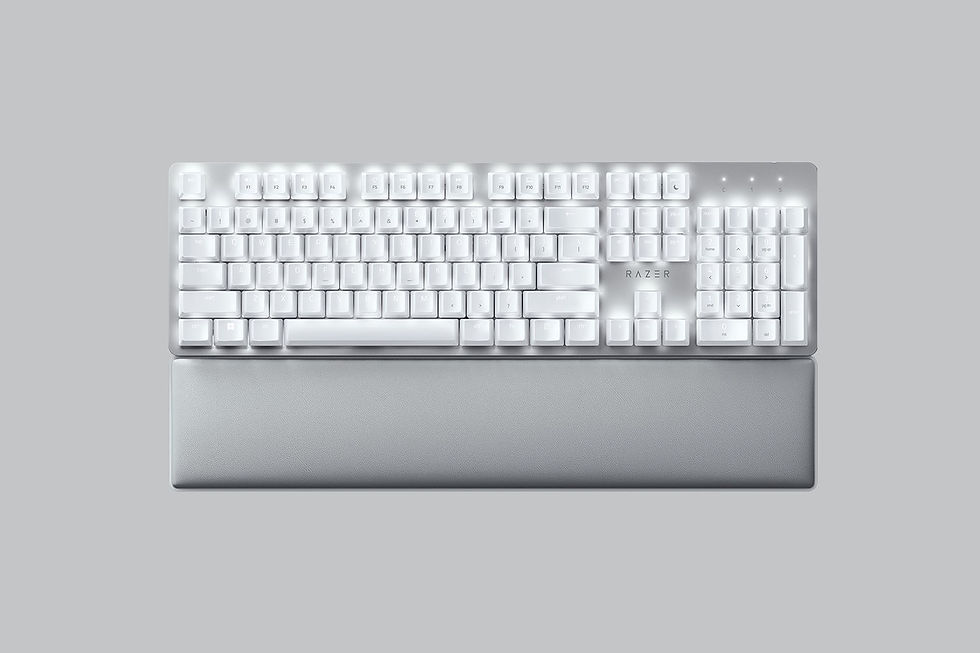
Manufacturer: Razer | Weight: 2.3 lbs | Connectivity: Wireless and Wired | Switch: Razer™ Yellow Mechanical Switch | Price: $159.99
The Razer Pro Type Ultra offers a surprisingly quiet experience for its class, thanks to silent mechanical switches and sound-dampening design. Although more productivity-focused than gaming-centric, its wireless flexibility and muted keystrokes make it a strong budget-friendly option for quieter gaming and everyday use.
Pros | Cons |
|
|
How To Make Your Gaming Keyboard Quiet

There are a few different ways to make your mechanical gaming keyboard quieter. The easiest and most affordable option is to use a quality desk mat — the fabric underneath your keyboard helps absorb vibrations and reduce excess noise.
More advanced options include adding foam inside the keyboard case or lubricating the key switches to reduce friction and harsh bottom-out sounds. However, if your keyboard uses truly clicky switches, mods will only go so far. The most effective solution is switching to quieter alternatives, such as silent or linear mechanical switches. Below, we break down the quietest types of mechanical switches to look for.
Quietest Mechanical Switches

If you’re buying a mechanical keyboard — or swapping switches on one you already own — choosing the right switches makes a huge difference when it comes to noise. These days there are a lot of newer silent options that offer a much quieter typing experience:
Cherry MX Silent Red switches are among the quietest mechanical switches available. They use built-in sound dampeners to reduce both bottom-out and key return noise, making them ideal for shared spaces, dorm rooms, or late-night gaming. They still feel smooth and responsive, just without the clack.
If you want a bit more feedback while keeping things quiet, Cherry MX Silent Brown switches offer a subtle tactile bump with far less noise than standard Browns. They’re a great middle ground for students who split their time between typing essays and gaming.
Desk Mats To Reduce Keyboard Noise

As mentioned earlier, using a desk mat is one of the easiest and most affordable ways to reduce keyboard noise — no new keyboard or DIY mods required. Every time you press a key, the keyboard sends vibrations into your desk, which can amplify the sound, especially on lighter or hollow surfaces. A desk mat helps absorb those vibrations, dampening the noise and making your keyboard sound noticeably quieter overall.

We recommend this desk mat from Amazon which is the perfect size to go on most desks and under keyboards to reduce noise. The anti-slip rubber base ensures maximum stability and precision, and the smooth surface helps optimize your gaming experience.
Don’t forget to use your Amazon student discount for extra savings.
What is a mechanical keyboard?
A mechanical keyboard is a keyboard where each key uses its own individual mechanical switch to register keypresses. This is different from a membrane keyboard, which relies on a single rubber membrane underneath all the keys. On a membrane keyboard, pressing a key pushes the rubber pad down to complete a circuit.
Mechanical keyboards are popular because their switches offer more precise and consistent keypresses, which is especially useful for gaming. They can also feel more responsive when typing, helping some users type faster and more accurately. The raised keys and distinct feel also make mechanical keyboards appealing to touch typers who prefer typing without looking at the keyboard.
While choosing a keyboard ultimately comes down to personal preference, many gamers and students find that a mechanical keyboard offers a more comfortable and responsive experience for both gaming and everyday use.
Unlock even more with Student Beans
All your favorite brands at your fingertips, from fashion and beauty to food and drink, available to college and uni students aged 16 and over. Dive into our blog to find tips and advice to help you navigate student life, from applying to uni to life after graduation.
Sign up to a Student Beans account now or login to start saving on the biggest and best brands.
Download the Student Beans app to unlock exclusive app-only discounts to make student life a little bit more affordable.


