
5 Best OLED Laptops

Step into the best and brightest displays.
With technology changing at a rapid pace, new innovations are coming out what seems like every other day. One of the newest (and best) features laptops are starting to integrate are OLED screens. But are they really worth the price? Who wins in the battle of LED v. OLED? And what even is the difference between LED and OLED? We’re here to tell you!
That’s why we decided to narrow the list down to the top 5 OLED laptops on the market right now. So as you’re shopping for your newest OLED tech, have this guide handy. And don’t forget to use your Student Beans discount to save on every laptop mentioned on this list!
1. Dell XPS 15 OLED — $2,049.99

If you’re looking for a laptop that can replace a desktop, the Dell XPS 15 OLED laptop is the best choice for you. Bold styling, compact design, and incredible power, there really isn’t much to complain about on the Dell XPS 15 OLED other than the steep price tag.
The display is optional OLED, meaning you can save your battery life when you need to. This is a huge advantage if you’re debating between LED v. OLED—now you have the choice, all at your fingertips. And c’mon, you really can’t argue with how nice the overall design of the laptop looks. Easily competing with the MacBook Pro in terms of glamour.
What’s in the box
Dell XPS 15 OLED laptop
Charging cable
Technical specs
Operating system: Windows 11
RAM: 16 GB, 2 x 8 GB, DDR4, 3200 MHz
Processor: 11th Gen Intel® Core™ i7-11800H
Storage: 512 GB, M.2, PCIe NVMe, SSD
Screen resolution: 3.5K, 3456 x 2160
Screen size: 15.6-inch
Screen type: OLED
Touch screen: Yes
Battery life: 13 hours
Battery type: 6 Cell, 86 Wh, integrated
Audio connections: Stereo woofer 2.5 W x 2 and stereo tweeter
Webcam: 720p at 30 fps HD camera
Colors: Platinum Silver, Arctic White
Pros
Incredible OLED screen
Powerful CPU
Solid battery life
Cons
Price
USB-C only
2. HP Spectre x360 14 — $1,249.99

You can’t go wrong with a solid 2-in-1 laptop, and the HP Spectre x360 14 is no exception. Some of the best in it’s class, the HP has a gorgeous OLED screen along with other notable features like rapid wake, a fast processor, and incredible graphics chip.
This laptop with OLED screen display has been highly-rated by customers for years thanks to the impeccable quality. The design is nothing to sniff at, either. The immaculate gem-cut edges are as sleek as sleek can be, and considering you can easily convert this to a tablet, you’ll love using this both ways (and don’t forget the included tablet pen!).
What’s in the box
HP Spectre x360
Charging cable
Technical specs
Operating system: Windows 11
RAM: 4.4 GHz
Processor: Intel® Core™ i5-1235U
Storage: 512 GB PCIe® NVMe™ TLC M.2 SSD
Screen size: 13.5-inch
Screen type: OLED
Touch screen: Yes
Battery life: 17 hours
Battery type: 4-cell, 66 Wh Li-ion polymer
Audio connections:
Webcam: HP True Vision 5MP IR camera with camera shutter
Colors: Natural Silver, Nightfall Black, Nocturne Blue
Pros
Feels luxurious
Bright display
Fast performance
Cons
Terrible webcam
Tiny touchpad
3. Gigabyte Aero 15 OLED XC — $1,899.00

Planning on going into a creative field in college or after graduation? Forget the MacBook and get a Gigabyte Aero 15 OLED. The graphics chip blows every other version out of the water, which also means that gaming on this laptop is no problem despite being super portable.
This is also a solid laptop option when it comes to one of the laptops for video editing—plus, it’s at a lower price point than some of its competitors, making it a budget laptop for video editing, too. It straddles the line between being a professional laptop and a gaming laptop, meaning you’ll be missing out on some features from each category. But it’s the best of the best if you’re spending a lot of time focused on graphics and design.
What’s in the box
Gigabyte Aero 15 OLED
Charging cable
Technical specs
Operating system: Windows 11
RAM: 2x M.2 SSD slots
Processor: 10th Gen Intel® Core™ i7-10870H
Storage: 2x DDR4 Slots
Screen resolution: 4K
Screen size: 15.6-inch
Screen type: OLED
Touch screen: No
Battery life: 9 hours
Battery type: Li Polymer 99Wh
Audio connections: 2x 2 Watt Speaker
Webcam: HD Camera
Colors: Black
Pros
Unbeatable performance
4K OLED
Plenty of ports
Cons
Bad webcam
4. Alienware m15 — $1787.98

Yeah, this one is for the gamers. We know we want your screen to be top-notch as you’re playing, which is why we recommend the Alienware m15. Clocking in at 60fps, you’ll be able to game on the go with ease, all without sacrificing any quality.
A high-end laptop without the huge price tag, it’s lightening fast—a must as you’re playing things like AAA titles on this. With 120hz available (meaning it can refresh the screen up to 120 time per second), you’ll know that you’re getting the best when it comes to graphics and speed—all rolled into one sleek laptop. The design is also 100% gorgeous, so you’ll love showing it off whenever you get it out.
What’s in the box
Technical specs
Operating system: Windows 11
RAM: 16 GB, 2 x 8 GB, DDR5, 4800 MHz, dual-channel
Processor: AMD Ryzen™ 7 6800H
Storage: 512 GB, M.2, PCIe NVMe, SSD
Screen resolution: 4K
Screen size: 17.3-inch
Screen type: OLED
Touch screen: No
Battery life: 7 hours
Audio connections: Stereo speakers
Webcam: 720p at 30 fps HD camera
Colors: Dark Side of the Moon
Pros
Long battery life for gaming laptop
Aesthetically pleasing
Cons
4K isn’t necessarily the best feature for a laptop this size.
5. Dell XPS 13 OLED — $1,719.99

Despite its small size, the Dell XPS 13’s OLED screen is one of the most bright and vibrant available. While it can quickly drain your battery life if you’re not careful, the incredible display will wow you every single time you turn your laptop on.
One of the minor flaws is that the camera is still at 720p and not 1080p, which is something we’ve come to expect from a laptop at this price. The processing speed easily competes with similar models though, so you won’t be sacrificing anything by getting a 13-inch laptop instead of a 15-inch. If you value display above everything else, this is the laptop you’re going to want to purchase.
What’s in the box
Dell XPS 13
Charging cable
Technical specs
Operating system: Windows 11
RAM: 8GB 4267MHz LPDDR4x Memory Onboard
Processor: 11th Gen Intel® Core™ i5-1135G7
Storage: 512 GB, M.2, PCIe NVMe, SSD
Screen resolution: 3456 x 2160
Screen size: 13.4-inch
Screen type: OLED
Touch screen: Yes
Battery life: 14 hours
Battery type: 4 Cell, 52 Wh, integrated
Audio connections: Stereo speakers professionally tuned with Waves MaxxAudio® Pro
Webcam: Widescreen HD (720p) 2.25mm webcam
Colors: Platinum, frost
Pros
Streamlined design
Great keyboard
Solid overall performance
Cons
Limited connectivity
Average battery life
People Also Ask…
What’s The Difference Between OLED and LED?
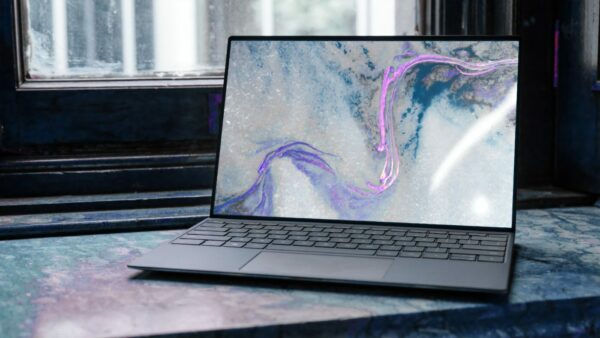
While the difference might seem minor, it’s actually crucial when it comes the the display of on your laptop screen. An LED screen uses a backlight to light up the pixels on the screen, which is what most traditional backlit tech does. OLED’s pixels, however, produce their own light, meaning it can be 100% controlled on a pixel-by-pixel basis.
Which Gives Less Glare, An LED Monitor Or An OLED Monitor?

The one downside of OLED laptops is that they tend to do worse when it comes to glare. Since they’re backlit, they tend to be a bit brighter, meaning you won’t notice glare as much, but your graphics won’t be as good. IF glare is going to be an issue for you, opt for LED instead of OLED.
What is OLED Burn In?

OLED burn-in is when the “ghost” of an old image on your screen stays there, even after the image has disappeared. The pixels of the old image can still be seen slightly on the screen. As technology gets better, this is becoming less of a risk, but it’s still something to be aware of.
Are you confident in picking out your new OLED laptop now? We know you’ll find the best choice for you! Just be sure to take advantage of your student discount while you shop so you can hold on to as much of your hard-earned money that you can!
Looking for a super-portable laptop? Check out our picks for the best 13-inch laptops on the market. And snag these accessories for your laptop, too!


